
Runbooks
A runbook is a Markdown file of steps to follow, for operations such as reindexing a search service or publishing a
release. Each ```http block is a step with its own Run button, and the explanation sits around it, so you
don’t need the instructions open in another window. It stays ordinary Markdown, so it reads properly on GitHub and in
VS Code.
Any .md file with an ```http block appears in the tree as a runbook; other Markdown files stay hidden.
Right-click a folder and choose New runbook… to start from a worked example.
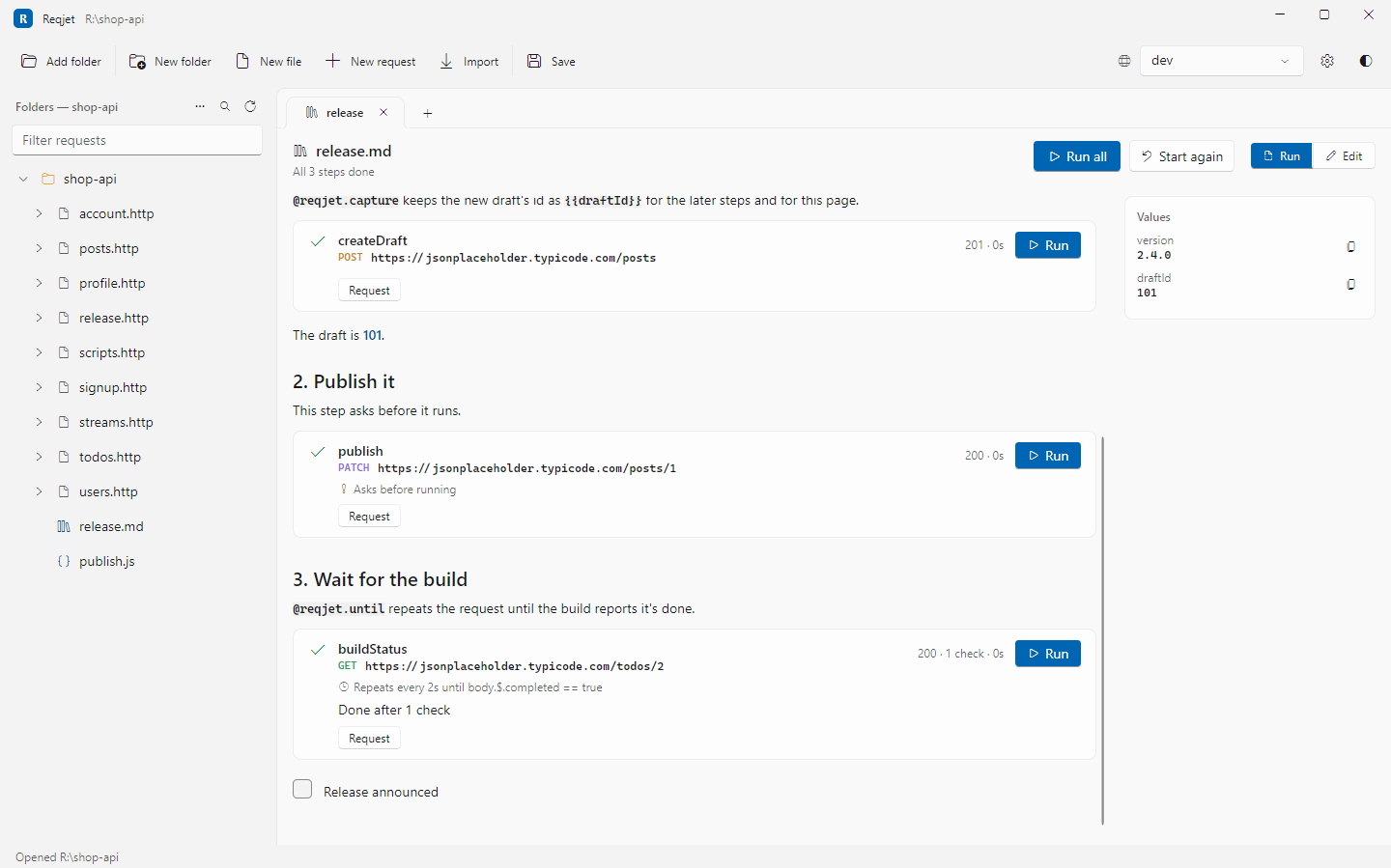
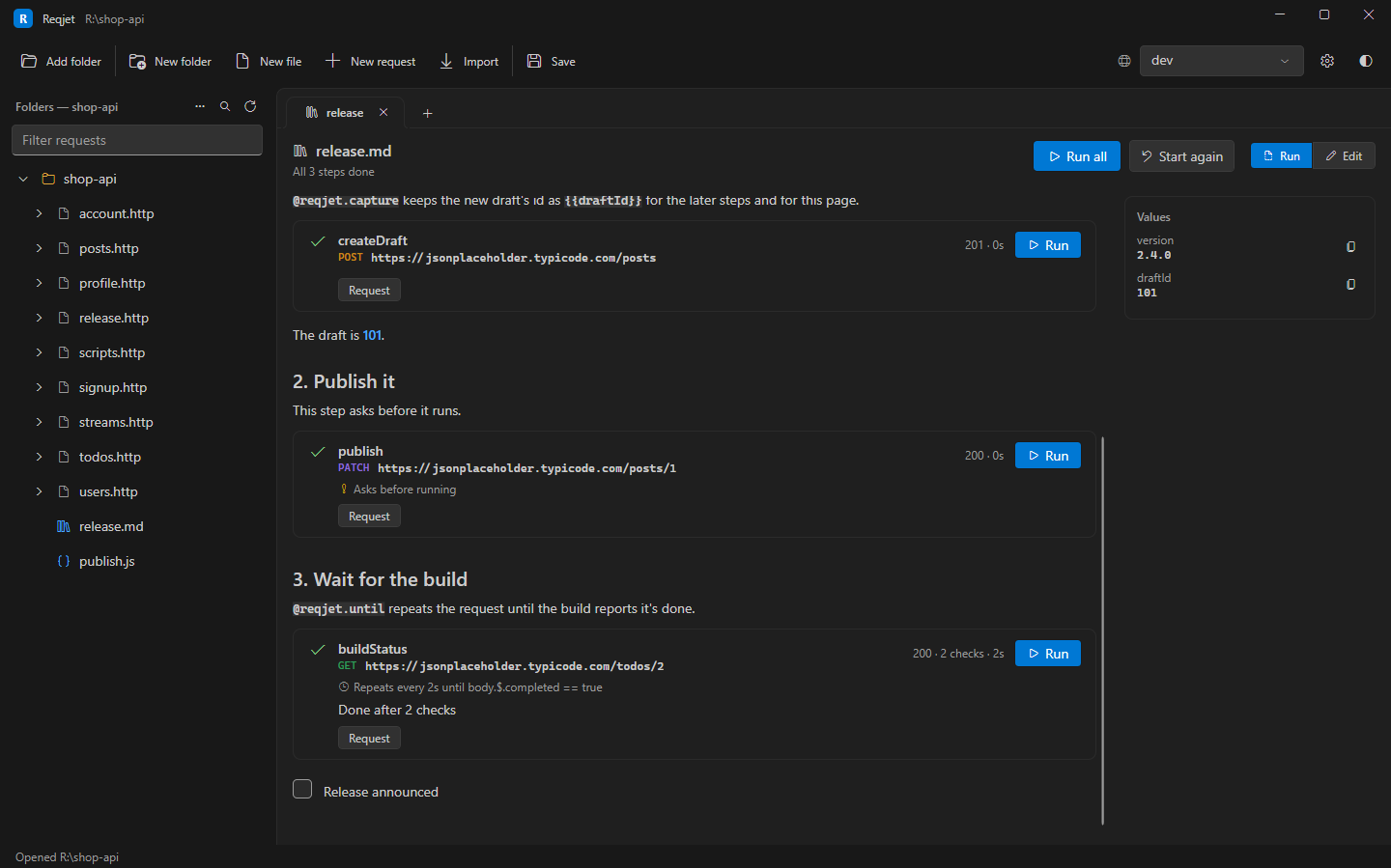
# Reindex search
```inputs# Prefix for the new index nameprefix = products```
## 1. Create the new index
```http# @name createIndex# @reqjet.capture indexName = body.$.namePOST {{searchUrl}}/indexesContent-Type: application/json
{ "prefix": "{{prefix}}" }```
The new index is **{{indexName}}**.
## 2. Wait for it to finish
```http# @name progress# @reqjet.until body.$.status == "Completed"# @reqjet.fail-if body.$.status == "Failed"# @reqjet.every 30s# @reqjet.give-up-after 2hGET {{searchUrl}}/indexes/{{indexName}}/status```
- [ ] Tell the team the reindex is done| In a step | What it does |
|---|---|
# @reqjet.capture name = <subject> |
Keeps a value from the response as {{name}}, for later steps and the page’s text. Subjects are the same as for assertions: body.$.path, header.Name, status and so on. |
# @reqjet.confirm <message> |
Asks before the step runs, with values filled in. Use it for steps that change something. |
# @reqjet.until <assertion> |
Repeats the request until the assertion holds, for jobs you have to wait for. |
# @reqjet.every 30s |
How often to repeat. The default is 10s. |
# @reqjet.give-up-after 2h |
When to stop trying. The default is 30m. |
# @reqjet.fail-if <assertion> |
Stops a repeating step straight away when it holds, such as a “Failed” status. |
{{values}} in until and fail-if are filled in, so a step can wait for an input or a captured value, such as
# @reqjet.until body.$.index == "{{indexName}}".
A step never runs an earlier one behind your back. A step that needs a value that isn’t known yet stops with
“Not sent: no value for {{name}}”.
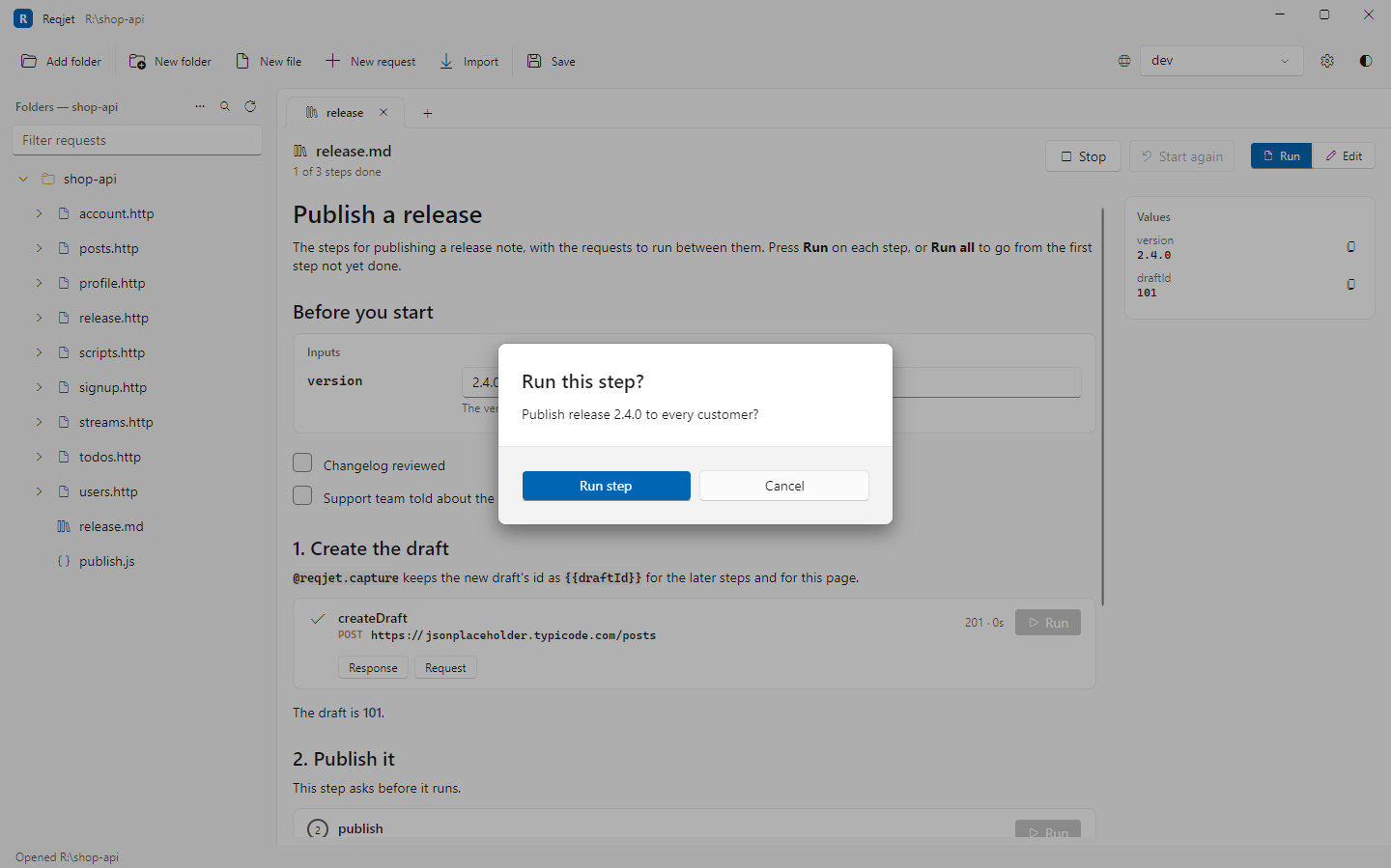
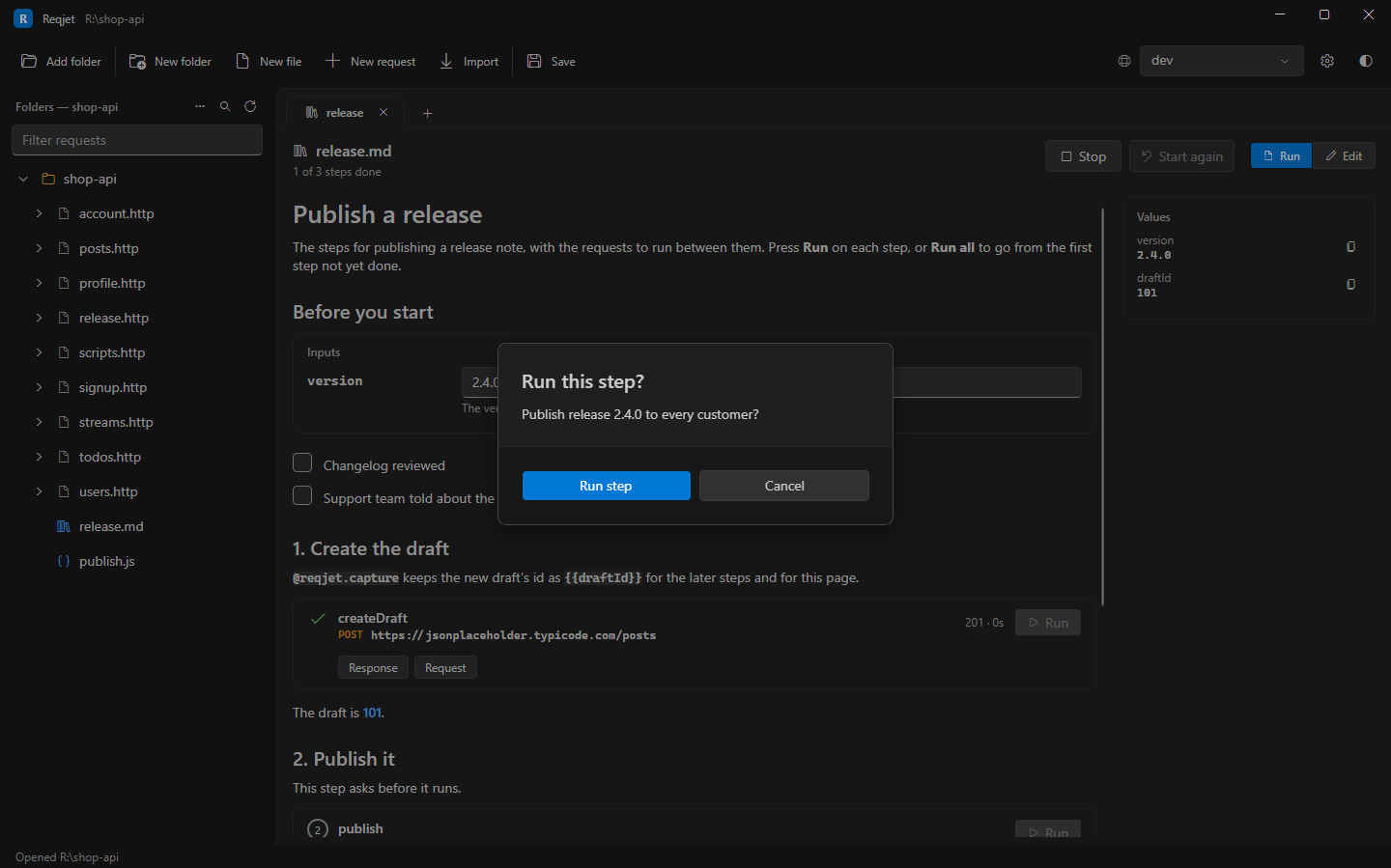
Inputs, values and checklists
Section titled “Inputs, values and checklists”- Inputs: an
```inputsblock becomes input boxes. Each line isname = default, with a# descriptionon the line above. An input left empty must be filled in before the steps that use it can run. - Values:
{{values}}in the text fill in as they become known, and a Values panel lists them with copy buttons. Values not set by the runbook come from the environments found next to it. - Checklists:
- [ ]items become checkboxes.
Running it
Section titled “Running it”- Press Run on a step to run just that step.
- Run all runs from the first step not yet done, and stops at a failure or at a “no” to a confirmation.
- Progress is saved as you go: inputs, captured values, finished steps and ticked items. A long operation can carry on after closing Reqjet. It’s kept in your user settings, not in your folders. Start again clears it.
On the command line, reqjet run reindex.md --env dev runs the steps in order, asking confirmations on the
terminal. --yes answers yes to them, and --var prefix=orders fills in an input.
When a runbook would be all steps and no text, or needs loops and decisions between steps, write a script file instead.