
Request scripts
Scripts add logic around a request: set a value before it’s sent, keep a value from its response for later requests,
or test the response in ways an assertion can’t. They use the JetBrains .http script syntax, so they also run in
IntelliJ, Rider and WebStorm. Reqjet’s own additions are under reqjet., so you can see at a glance what only Reqjet
runs (see Reqjet’s own helpers).
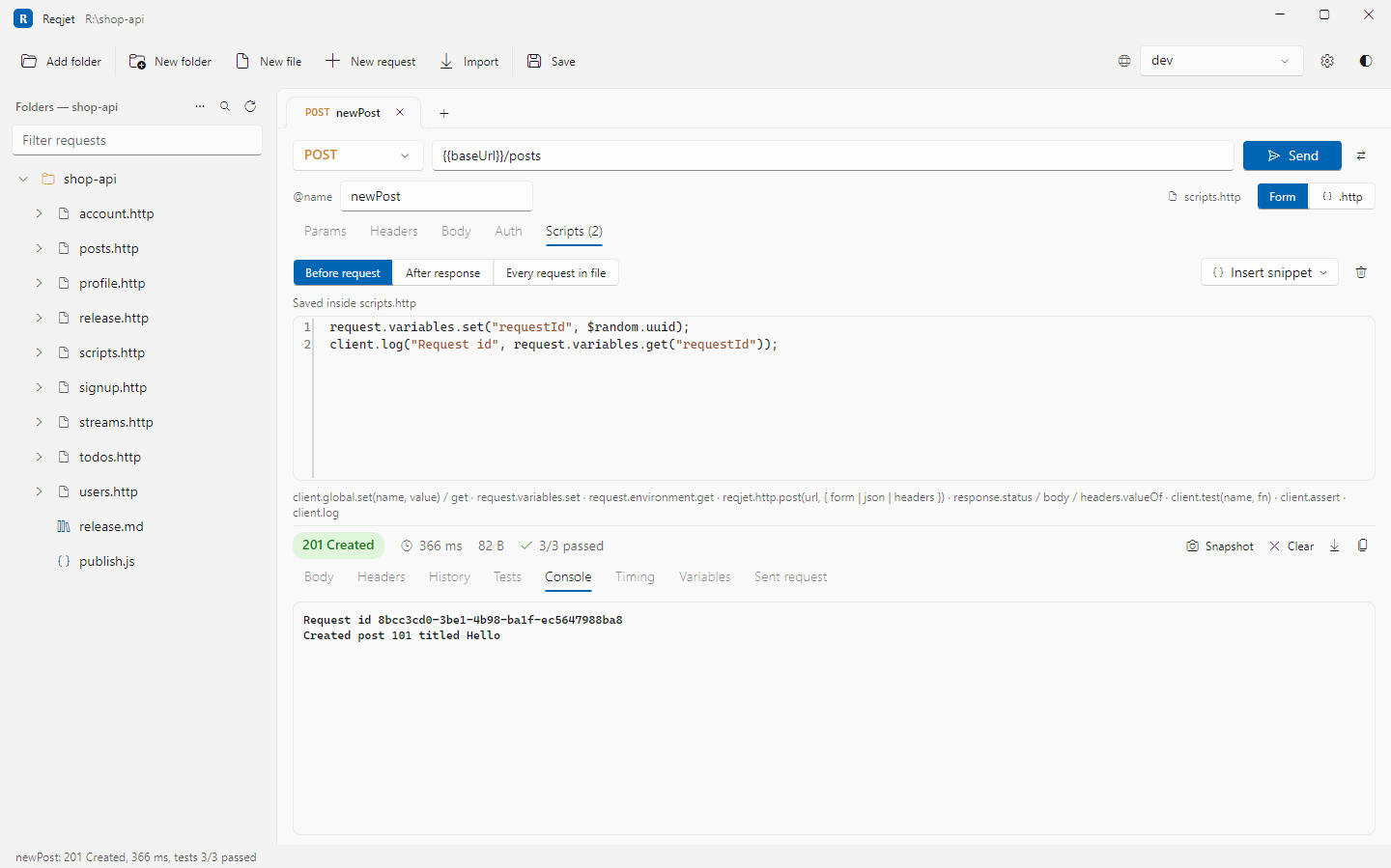
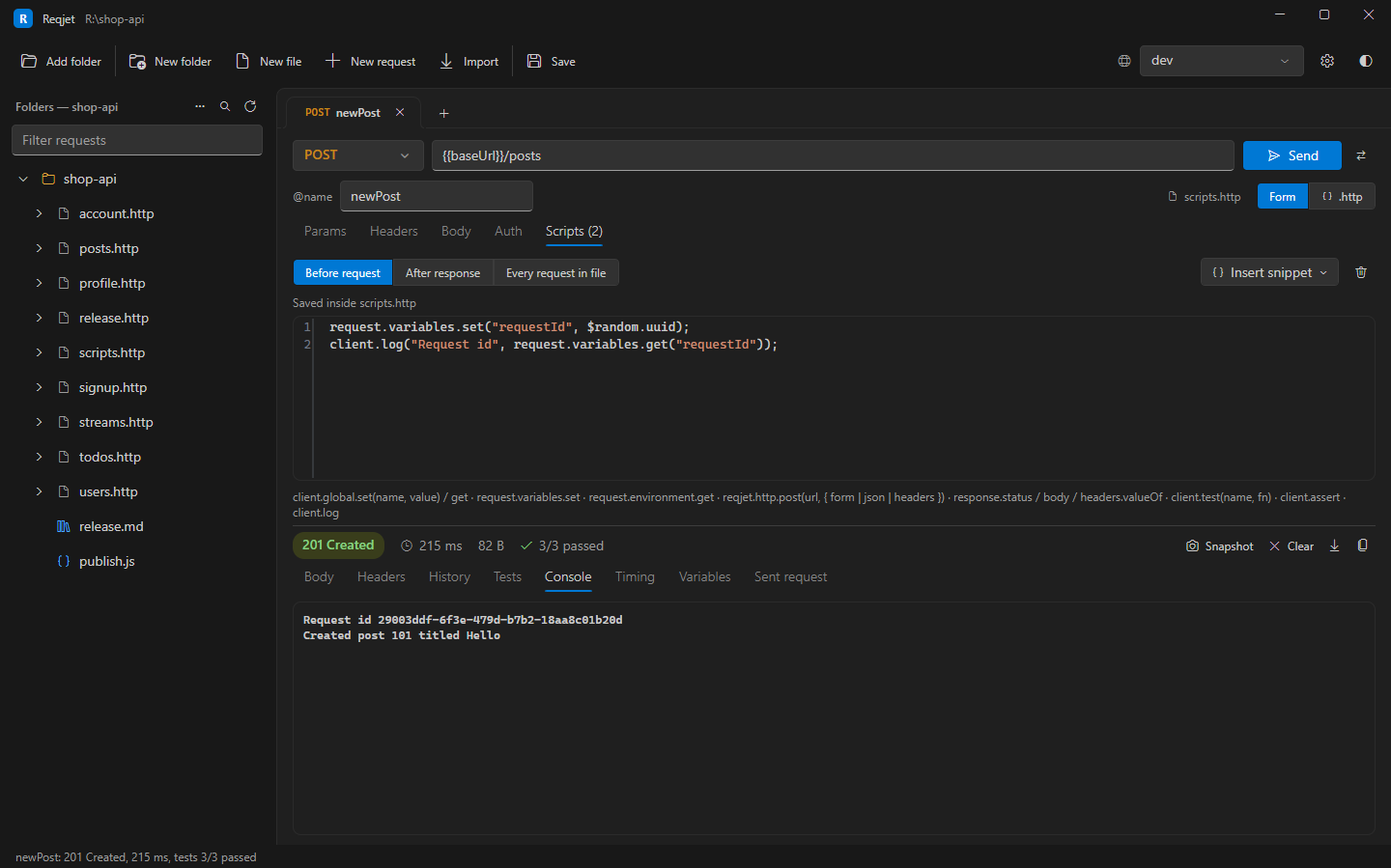
### Get my profile< {%  request.variables.set("requestId", $random.uuid);  // only this request%}GET {{baseUrl}}/meAuthorization: Bearer {{auth-token}}X-Request-Id: {{requestId}}
> {% client.global.set("userId", response.body.id); // every later request can use {{userId}} client.test("Status is 200", () => client.assert(response.status === 200));%}| Where | Written as | Runs |
|---|---|---|
| Pre-request script | < {% … %} before the request line |
Before the request is sent. |
| Response handler | > {% … %} after the request, or > ./handler.js |
After the response arrives. |
| File pre-request script | # @reqjet.pre-request ./auth.js at the top of the file |
Before every request in the file. |
The Scripts tab on a request edits them, and has snippets for common jobs such as fetching a token.
Keeping values
Section titled “Keeping values”| API | What it does |
|---|---|
client.global.set(name, value), get, clear, clearAll |
Values every request can use this session, as {{name}}. The Environments tab lists them and can clear them. |
request.variables.set(name, value), get |
Values for this request only. They override everything else. |
request.environment.get(name) |
A value from the selected environment. |
Values set with client.global last until Reqjet closes; they aren’t written to your env files.
Reading the request and response
Section titled “Reading the request and response”| API | What it does |
|---|---|
request.method |
The method. |
request.url.getRaw(), request.url.tryGetSubstituted() |
The URL as written, or with {{variables}} filled in. request.url also works as plain text. |
request.body.getRaw(), request.body.tryGetSubstituted() |
The body, likewise. |
request.headers.all(), request.headers.findByName(name) |
The headers, each with name, getRawValue() and tryGetSubstitutedValue(). |
response.status |
The status code (in a response handler). |
response.body |
The body, parsed when it’s JSON. |
response.text |
The body as text. |
response.headers.valueOf(name), valuesOf(name) |
A response header, or all its values. |
response.contentType.mimeType |
The content type, such as application/json. |
Tests in a script
Section titled “Tests in a script”client.test("Has a name", () => { client.assert(response.body.name, "no name in " + response.text);});client.test(name, fn) records a test, and client.assert(condition, message) fails it when the condition is false.
Results appear in the response’s Tests tab with the other tests.
Helpers
Section titled “Helpers”| API | What it does |
|---|---|
client.log(...) |
Writes to the response’s Console tab. |
client.exit() |
Ends the script there. It isn’t a failure. |
jsonPath(data, path) |
Picks values out of an object or JSON text: one value, or an array for [*], .. and .* paths. |
$random.uuid, $random.integer(from, to), $random.float, $random.alphabetic(n), $random.alphanumeric(n), $random.hexadecimal(n), $random.email |
Random values, as in JetBrains. Also $uuid, $timestamp, $isoTimestamp and $randomInt. |
btoa(), atob() |
Base64 encoding and decoding. |
Reqjet’s own helpers
Section titled “Reqjet’s own helpers”These are Reqjet’s additions. JetBrains IDEs don’t have them, so a script that uses them only runs in Reqjet.
| API | What it does |
|---|---|
reqjet.http.get/post/put/patch/delete(url, { headers, body, json, form }) |
Sends an HTTP request and waits for its response, with {{variables}} filled in. json sends an object as JSON, and form as a form. |
reqjet.resolve("{{text}}") |
Fills in {{variables}} as a request would. |
reqjet.uuid() |
A new GUID. $random.uuid does the same, and works in JetBrains IDEs too. |
Older scripts may use them without the prefix, as http, resolve and uuid. Those names still work.
Hashes and signatures
Section titled “Hashes and signatures”crypto computes hashes and HMACs, for example to sign a request:
const signature = crypto.hmac.sha256() .withTextSecret(request.environment.get("signingKey")) .updateWithText(request.body.tryGetSubstituted()) .digest().toHex();request.variables.set("signature", signature);- Hashes:
crypto.md5(),sha1(),sha256(),sha384()andsha512(), each withupdateWithText,updateWithHexorupdateWithBase64. - HMACs:
crypto.hmac.sha256()and the others, withwithTextSecret,withHexSecretorwithBase64Secret. - Results:
.digest().toHex()or.digest().toBase64(urlSafe).
Example: fetch a token once
Section titled “Example: fetch a token once”A file pre-request script can get a token and reuse it until it expires. This is the Fetch an OAuth token snippet in the Scripts tab:
const expires = Number(client.global.get("auth-token-expires") || 0);if (!client.global.get("auth-token") || Date.now() > expires) { const res = reqjet.http.post(request.environment.get("tokenUrl"), { form: { grant_type: "client_credentials", client_id: request.environment.get("clientId"), client_secret: request.environment.get("clientSecret"), }, }); client.global.set("auth-token", res.body.access_token); client.global.set("auth-token-expires", Date.now() + (res.body.expires_in - 60) * 1000);}For most OAuth 2.0 APIs you don’t need a script: an OAuth profile in the environment files and
{{$auth.token("id")}} get, cache and refresh the token for you.
Postman scripts
Section titled “Postman scripts”Collections imported from Postman or Insomnia keep their scripts, and they run as they are: Reqjet supports
Postman’s script API (pm.test, pm.expect, pm.response, pm.environment and the like, pm.sendRequest, and
CryptoJS hashes and HMACs).
What scripts can’t do
Section titled “What scripts can’t do”Scripts run in a sandboxed JavaScript interpreter. They can’t read or write your files, start programs or load libraries, and request scripts are stopped after 30 seconds. They can read the values a request can use, including secrets from your private env file, and send HTTP requests, so only run scripts from sources you trust.