
History and comparing
Response history
Section titled “Response history”Every response is kept for the session: the last 20 of each request by default, however it was sent (Send, Run all, a runbook or a script). A response’s History tab compares it with an earlier one:
- Status, headers and body are compared.
- JSON bodies are compared value by value, such as
$.items[2].price: 10 → 12, so formatting and key order don’t count. Other bodies get a line-by-line comparison, and binary bodies are compared byte for byte. - Headers that change on every response, such as
Date, request ids and cookies, are left out. - A tick marks earlier responses whose tests passed. That makes “what changed since it last worked?” one click.
The History tab can also compare with other requests’ latest responses this session, for example the same call against dev and production.
Reopening a request shows its last response.
Keeping more, fewer or none
Section titled “Keeping more, fewer or none”Set how many responses each request keeps in Preferences, or 0 for none. The # @no-log directive keeps a single
request’s responses out of History, for example because they hold tokens.
History is kept in memory only. Responses can hold tokens and personal data, so they aren’t written to disk, and they go when you close Reqjet.
Compare environments
Section titled “Compare environments”Compare environments… on a request (right-click its tab or its row in the tree) sends it with two environments, such as staging and production, and shows how the responses differ: status, headers, and JSON value by value, as the History tab does. Each environment’s full response is shown beside the differences.
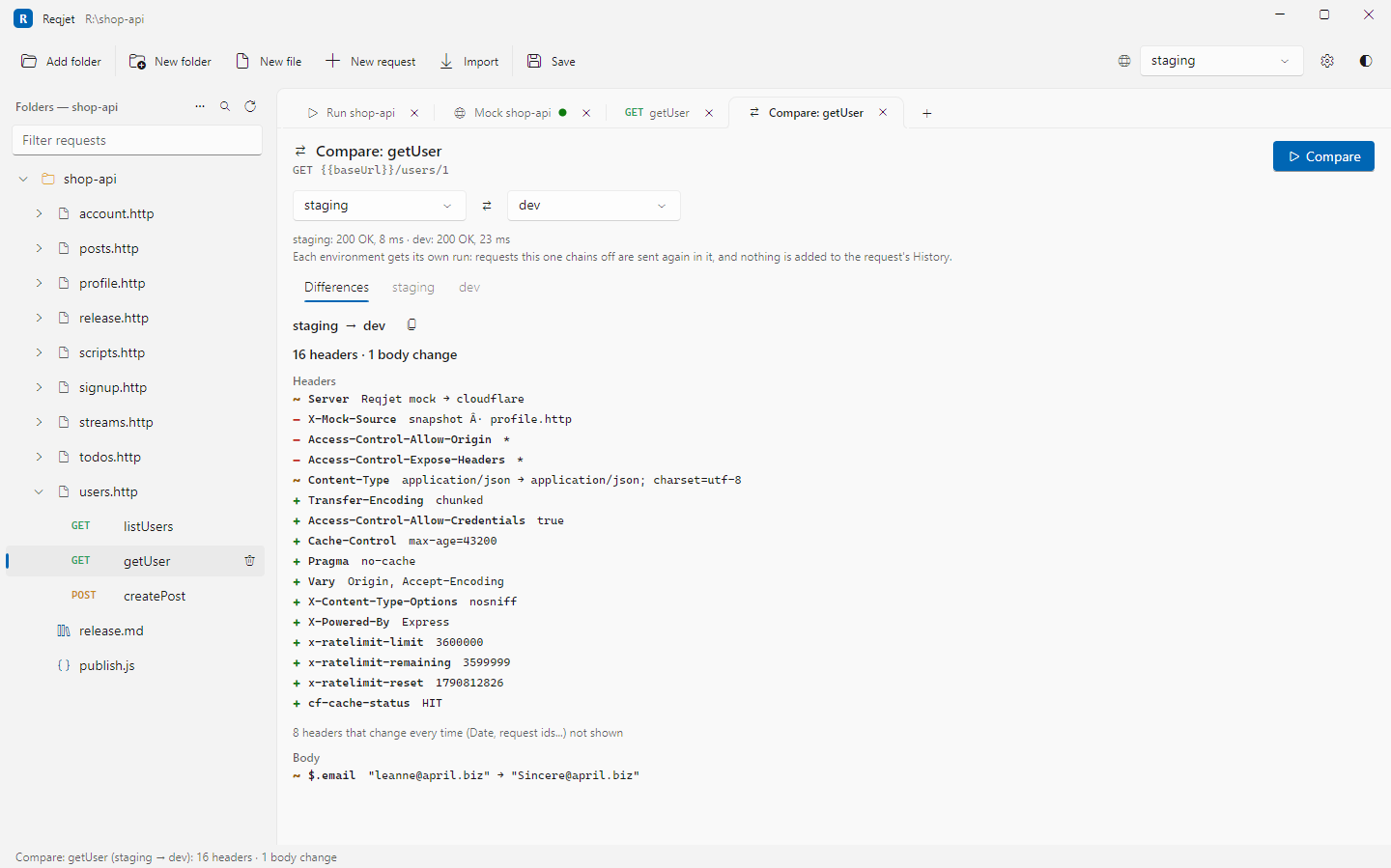
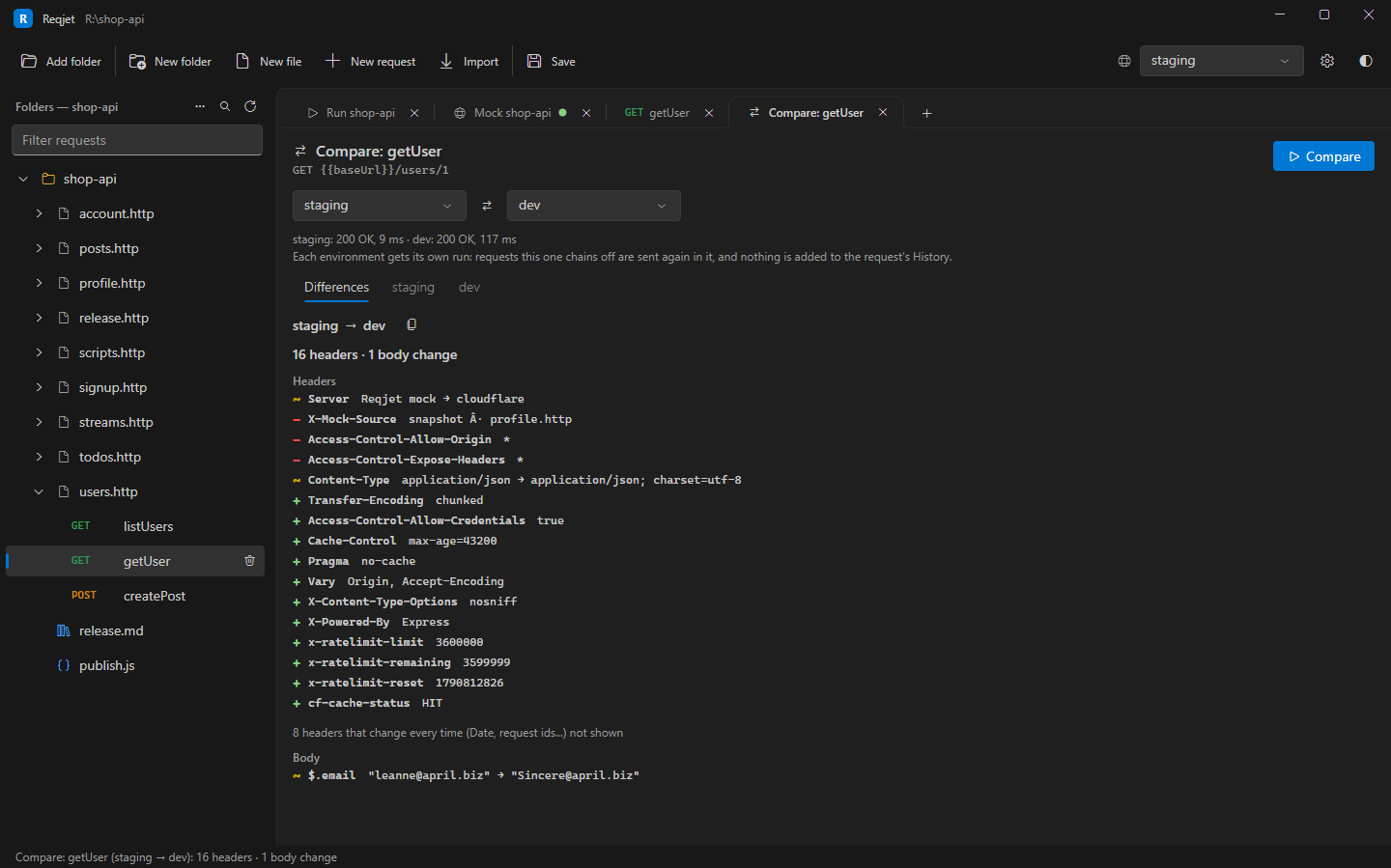
Each side runs on its own:
- Requests it chains off are sent again in that environment.
- Values scripts set with
client.globalstay with that side. - Nothing is added to History, snapshots are checked but not saved, and
>> fileredirects aren’t written.
A request that isn’t a GET, HEAD or OPTIONS asks first, as sending it changes both environments.